

getting so I HATE FB!
shaddy101
What's with all these trending topisc on the right side of the page? WHY, do I have to endure deleting them daily or several times while I am on FB? I don't care for trending topics I just like to keep it plain and simple. Been given to understand there is no way to stop this? Anyone know for sure, and if the possibility exists, how to get rid of it? Makes me want to throw in the towel for sure. Many thanks for any hints!
Browse Gardening and Landscaping Stories on Houzz See all Stories
Gardening Guides
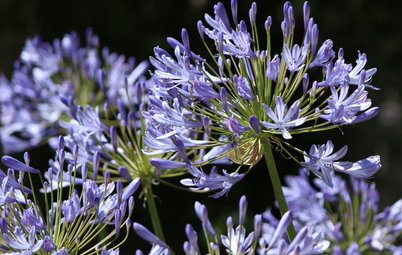
8 Plants That Snobs Love to Hate — and You'll Love to Grow
By Bill Marken
Don't dismiss these common annuals, perennials and shrubs — there are reasons they've been popular for so long
Full Story

Furniture
Why It's OK to Hate Your New Custom Sofa
It takes time to get used to bold new furniture, but dry your tears — the shock can be good for you. Here's what to expect
Full Story

Decorating Guides
Chartreuse: Love It or Hate It?
Try a Sip of Yellow-Green With Blue, Chocolate, Hot Pink, Eggplant and Teal
Full Story

Inspiration for some backyard chats

Inspiration for a warm welcome

Inspiration for dinner time under the stars

Inspiration for a little quality time

Inspiration for making that best pizza ever








A.I.S Renovation is a leading contractor in the central Ohio area. Since 1989, we have been committed to client's... Read More
How in the world do you delete those trending topics; I want to delete them. I don't get on Facebook too often anymore. I have also seriously been considering leaving it.
F.B. Purity is a browser extension / addon that lets you clean up &
customise Facebook, it hides the things you dont want to see, such as Trending Topics and gives you lots of extra newsfeed filtering options.
Available for Firefox & Chrome
http://www.fbpurity.com/install.htm
Another way, if you use an adblocker such as AdBlock Plus or Ublock Origin you can add this filter:
facebook.com###pagelet_trending_tags_and_topics
----------------------------------------------------------------------
Myself, I'd probably remove the entire right column:
facebook.com##.home_right_column
or maybe:
facebook.com##._5rzs._5v6d
(Either one of those might remove more than you prefer, but if you know how to add a filter, you know how to remove a filter)
Not sure chugger guy what is entailed here, but bookmarking, can take my time to figger it out. Also, how do I find out what my version of FF truly is ? Just got an update today, don't know where I stand for downloading thatPurity link. Clicking the links chugger sent, only gets me back to FB with nothing to explain what to do. I am always afraid to do the deed without knowing for sure what happens.
WalnutCreek, there are tiny X's right side of the topic, be careful, and just delete them slowly, sometimes takes a while, those darndable topics are a pain in the butt.
I just mentioned the adblocker method as an alternative to Zep's F.B. Purity solution. If you're not interested in that method, F.B. Purity would be quicker and easier.
BTW, I included no links. Gardenweb does that automatically, even when they're not wanted. It seems buggy too. For example, this is not supposed to contain a link, only a typo:
"I just found another tick.It was on my dog"
Thanks, Shaddy. I could not find any Xs. Looked and looked. Oh, I just thought. Do you have to click on each topic in order to see the X? I was just look on the "trending" box for an X
Chugger, where do I find FB Purity, please.
"Chugger, where do I find FB Purity, please."
Zep suggested it above and provided a link. I haven't used it but it sounds like it should do what you want.