




MS Word 2000 text box question
sapphires
18 years ago
Sort by:Oldest
Comments (7)
Related Stories

MOST POPULAR8 Questions to Ask Yourself Before Meeting With Your Designer
Thinking in advance about how you use your space will get your first design consultation off to its best start
Full Story
SELLING YOUR HOUSE15 Questions to Ask When Interviewing a Real Estate Agent
Here’s what you should find out before selecting an agent to sell your home
Full Story
ORGANIZING4 Questions to Help You Organize Your Favorite Photos
Organize your keeper photos with a system that's just right for you, whether it's in the cloud or you can hold it in your hand
Full Story
LIGHTING5 Questions to Ask for the Best Room Lighting
Get your overhead, task and accent lighting right for decorative beauty, less eyestrain and a focus exactly where you want
Full Story
FURNITURE12 Sofa Colors That Won't Box You In
With any of these colors as a base, you can change your decor as often as you change your mind
Full Story
LIFEThank U 4 the Gr8 Gift: How to Send Thanks in the Digital Age
We click open invitations and RSVP via text, but a handwritten thank-you is sometimes still best. Here's how to tell
Full Story
ARCHITECTUREHouzz Tour: Shipping Containers Make for an Unusual Home
Recycling hits the big time as a general contractor turns 4 metal boxes into a decidedly different living space
Full Story
LIVING ROOMSRoom of the Day: Curiosities Bring Quick Intrigue to a Living Room
From blank box to captivating, exotic concoction, this room goes for the wow factor — and the whole house took just 4 days
Full Story
FLOORSIs Radiant Heating or Cooling Right for You?
Questions to ask before you go for one of these temperature systems in your floors or walls (yes, walls)
Full Story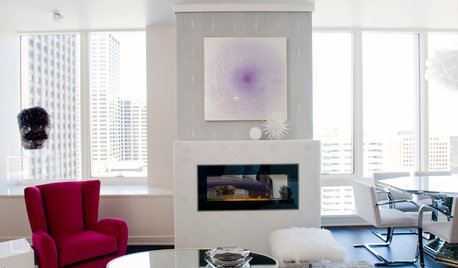
CONTEMPORARY HOMESHouzz Tour: Unboxing a San Francisco Condo
Feminine glam replaces boxy and boring in a remodeled luxury condominium with a view
Full StorySponsored
urlee
judys_ont
Related Discussions
example of word wrapping with large image
Q
MS Word pg numbering with Sections?
Q
MS Word 2002 question
Q
Curious about text in messages
Q
judys_ont
urlee
urlee
sapphiresOriginal Author
judys_ont