Return to the Pools & Spas Forum
| Post a Follow-Up
'Cell Power Error' on my Goldline display
| | |
Posted by
willweeverbedone (
My Page) on
Sat, Mar 10, 07 at 12:54
| Hi guys!
I'm getting this cell power error along w/ a constant check system light. Anyone have a clue? I've gone to their website and checked the manual and it doesn't really help.
Thanks in advance...
Ralph |
Follow-Up Postings:
RE: 'Cell Power Error' on my Goldline display
| | |
Ralph- The same thing happened to me recently- I went out to the contol box outside, put it in service mode for about 5 minutes, then returned it to the normal mode. It cleared it up. Steve |
RE: 'Cell Power Error' on my Goldline display
| | |
| Hi Steve: Thanks for the effort. Tried your suggestion and didn't work...any other ideas out there? It's really weird I can't find the answer in their manual. Still under waranty but am hoping to figure it out prior to that extreme step...lol. Thanks again, Ralph |
RE: 'Cell Power Error' on my Goldline display
| | |
Ralph- Did you check the connection on the salt cell itself? Sometimes that will cause a problem,as it is a "cheap connection" at this point. Also try unplugging the white cable from the control panel and reseating it. I had the problem right after I had resalted the pool, so the high salt influx caused it to "overload". I took the salt cell out-flushed with hose, and reinstalled. See if that is the problem-might have something stuck in the cell- Have you gone into the diagnostic menu on the controller to se if that will clear it? Hopefully one of these ideas will help. Steve |
RE: 'Cell Power Error' on my Goldline display
| | |
| You could always try calling Goldline directly, 1-888-921-POOL, 8AM to 8PM Eastern, M-F, according to my manual. When I had a problem (different from yours) I called them and they were most helpful and were able to solve the issue when the PB was clueless. |
RE: 'Cell Power Error' on my Goldline display
| | |
| Thanks, all: So far I've tried Steve's suggestion; tried unpugging the cell from the ps-8 unit and running it; tried cleaning the cell and resetting the system; all to no avail. Guess I'm reduced to calling Goldline tomorrow. They have been helpful w/ waranty issues in the past but it's kinda like stopping and asking for directions...lol. Ralph |
RE: 'Cell Power Error' on my Goldline display
| | |
| "They have been helpful w/ waranty issues in the past but it's kinda like stopping and asking for directions...lol. " Hasn't that ship allready sailed? |
RE: 'Cell Power Error' on my Goldline display
| | |
| Hey Phil! Anyway, called them this am...very simple fix but some info I did NOT know. Looks like you're supposed to shut down all power at the panel PRIOR to unplugging the cell for cleaning etc. The problem happens when the computer gets confused by unplugging or loose plug in of cell. All I had to do was shut down power, unplug cell for 60 sec's (this resets computer,) plug back in PRIOR to turning back on power then flip switches back on. Everything ok now. It's very strange that they don't give you this instruction in the manual!!! Ralph |
RE: 'Cell Power Error' on my Goldline display
| | |
| I have to add to this thread. We just had the same issue (also w/Aqualogic) and tried all of the suggestions in the thread, including the acid wash in the cell mentioned in another thread. Turns out, the cell was fine. They had to replace our circuit panel. Thank goodness for warranties! |
RE: 'Cell Power Error' on my Goldline display
| | |
| Most of the time this issue requires a new board in the controller. |
RE: 'Cell Power Error' on my Goldline display
| | |
| We had to replace our circuit panel also for this very reason. Also Aqualogic. Sounds like a recall needs 2 happen. Oh and when the electrician took the panel off it looked like there was a burn mark in one spot. He was pretty surprised to see it. |
RE: 'Cell Power Error' on my Goldline display
| | |
| Really? I wasn't standing there when he took it off but I wonder if ours did the same thing. Yikes. Skinnydipper, we finished our pools at about the same time - when did this happen for you? Our pool has been completed about 18 months. |
RE: 'Cell Power Error' on my Goldline display
| | |
| Mine happened in March. Here's a link to the thread I started on it. We ended up switching out the swg also. Good thing for warranties! |
Here is a link that might be useful: The thread I started about this
RE: 'Cell Power Error' on my Goldline display
| | |
| I just started to have the same problem. My salt level was down to 2400PPM. I added salt and then the message appears about no cell power. I cleaned my cell by dipping it in water and acid as recommended for cleaning. Then I followed willweeverbedone advice about shutting down all the power before disconnecting the cell plug and leaving it off for about 10 mins, plug it back in and turn power on. Initially the message came on again about no cell power. After a while it just went away. So keep trying this method before you call someone or pay for a new cell. Good thing I tried this before calling a tech out or getting a new cell. |
RE: 'Cell Power Error' on my Goldline display
| | |
Too funny...I have the problem again this year and forgot the answer. Love this site. Ralph |
RE: 'Cell Power Error' on my Goldline display
| | |
| Folks, There are two different errors here. One is No cell power which is addressed perfectly by the website nocellpower.com. I had that problem first and the fix was perfect. (and I was happy to make a donation to the site) With my PS4 I also eventually had the cell power error issue. For this one I did all of the suggested above with temporary success from days to hours of it working, but the light kept coming back with the cell power error message. I could get it to go away for a few hours at best by doing the power off at the breaker and disconnect of the turbo cell. I finally bought the brand new replacement board (with upgrades) on e-bay for $261 delivered. It was an easy install. My local pool shop quoted me $920 for the replacement board plus labor. If you are handy and safe you can do this repair. Be sure to double check all the wires and trade one for one. There are some minor changes with the new board feed wires but all is explained in the instructions that come with the board. If electricity scares you, call some one. If you do this job, prior to shutting down the old board, record all settings including the configuration menu items (after unlocking it by holding down both arrows for three seconds) and double verify the power is off using a meter. Good luck. |
RE: 'Cell Power Error' on my Goldline display
| | |
Useful info...however, maybe there are 3 issues since the "fix" fixed it again. Seems to be triggered by low salt, too. Ralph |
RE: 'Cell Power Error' on my Goldline display
| | |
| This information was very helpful to me. I have had my pool since 2005 and have never seen the "no cell power" message. The information from stevefl from March 2007 helped me this morning. I turned off the system. I unplugged the cell. I switched off all the breakers, then reset and replugged the cell. Light is gone and the system is now fine. For the first time ever, the salt level in my pool got down to 2400 over the winter with the snow and rain. I think the very low salt level must have triggered the issue, as I have never had any issues before other than the 500 hour reset necessary from the manufacturer that needs to be reset occasionally by holding down the +/-. Thanks to everyone for providing a "no cost" solution this morning! |
RE: 'Cell Power Error' on my Goldline display
| | |
| That is all great information. Thanks everybody. I just tried the "cut the power to the box and unplug the cell" method and it worked. My unit is a 2005 Goldline Aqua Logic. I was surprised that cutting the power to the box didn't mess up my Configurations. |
RE: 'Cell Power Error' on my Goldline display
| | |
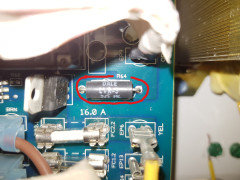
| I have one of the newer Goldline/Hayward control units and I had this same problem, however it wasn't as easy as power cycling the system, and it wasn't as bad as having to solder a toasted connection. Mine was very simply a blown fuse. There are a couple fuses on the board with my model. The yellow 20 Amp fuse had blown for one reason or another. Make sure to check that before you spend $$$$ on a new board. |
RE: 'Cell Power Error' on my Goldline display
| | |
| Thanks for the adivce all, i followed the instructions by willweeverbedone and it worked for me.....Thank God for these posting, saved my bacon this time |
RE: 'Cell Power Error' on my Goldline display
| | |
***READ BEFORE YOU REPLACE BOARD*** Most of the time the error 'Cell not getting power' Is a weak soldering contact on the back of the board. behind the K1 transformer. If you remove the board you will see a black/yellow spot on the back of the board where the solder has burnt off. Usually its as easy as resoldering that point, which doesnt take much skill and you are good to go. I have had 2 boards that both this happened. Here is a link for the steps http://nocellpower.com |
RE: 'Cell Power Error' on my Goldline display
| | |
| Thanks Chris Meyer! Tried several suggestions, including checking the back of the motherboard. Finally checked the yellow 20 amp fuse, and yes, that's what it was! Glad I found this thread! |
RE: 'Cell Power Error' on my Goldline display
| | |
| Wellllll, back yet again. Got the same error and forgot I'd ever seen it before. Lucky me my google got me right back here. Tried what has worked in the past and no luck. Tried the nocellpower.com and it worked....so far anyway. Big Thank You to Chris. BTW: Hello all you old timers!!! |
RE: 'Cell Power Error' on my Goldline display
| | |
| I too, have soldered the K1 joint on the board. And, this solution would work for a little while, but it will eventually fail again. So far I have done this twice and it lasted for about six months. My pool repair tech said that eventually the soldering will no longer solve the issue, and the board will need to be replaced. But, try to fix the K1 joint as long as you can! |
Post a Follow-Up
Please Note: Only registered members are able to post messages to this forum. If you are a member, please log in.
If you aren't yet a member, join now!
Return to the Pools & Spas Forum
Instructions
- You must be a registered member and logged in to post messages on our forums.
- Posting is a two-step process. Once you have composed your message, you will be taken to the preview page. You will then have a chance to review the contents and make changes.
- After posting your message, you may need to refresh the forum page in order to see it.
- It is illegal to post copyrighted material without the owner's consent.
- HTML codes are allowed in the message field only.
- No advertising is allowed in any of the forums.
- If you would like to practice posting or uploading photos, please visit our Test forum.
- If you need assistance, please Contact Us and we will be happy to help.