




Basic Kindle owners, I can't turn mine off.
alisande
11 years ago
Sort by:Oldest
Comments (6)
Related Stories
LIFESlow Living 101: Tips for Turning Off the Chaos
It may feel as though you're too busy to slow down and enjoy life. But even little changes can have a big effect
Full Story
LIFETurn Off the Video Games and Turn On Your Kid's Creativity
Going nuts planning summer activities? Kids overdosing on screen time? It may be time to foster more self-directed play
Full Story
MOST POPULARYou Can Turn That Into a Bathroom Vanity?
Find inspiration in 13 unconventional bathroom vanities that are as functional as the real deal
Full Story
PRODUCT PICKSGuest Picks: Household Basics That Don't Do Boring
You'll never look at can openers, filing cabinets, key holders and more the same way again
Full Story
PETS5 Finishes Pets and Kids Can’t Destroy — and 5 to Avoid
Save your sanity and your decorating budget by choosing materials and surfaces that can stand up to abuse
Full Story
VACATION HOMESPatience Pays Off for Owners Renovating Their Beach Condo
A Jersey Shore unit gets a bright new look, a more functional layout and increased space for extended family
Full Story
GARDENING AND LANDSCAPINGFantastical Landscape Lighting to Kindle a Fanciful Air
Set the night aglow and hearts afire with these gorgeously inventive landscape lighting ideas
Full Story
HOUZZ TOURSMy Houzz: Turning a Netherlands Barn Into a Country Home
Once a place for chilling milk, this Dutch home now lets the owners chill out in easygoing comfort
Full Story
BATHROOM WORKBOOKStandard Fixture Dimensions and Measurements for a Primary Bath
Create a luxe bathroom that functions well with these key measurements and layout tips
Full Story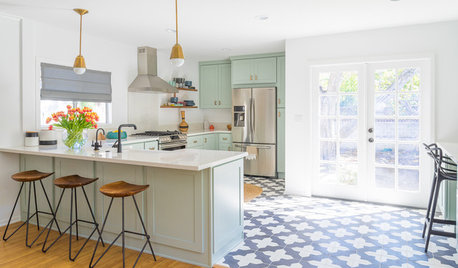
KITCHEN DESIGNTrending Now: 25 Kitchen Photos Houzzers Can’t Get Enough Of
Use the kitchens that have been added to the most ideabooks in the last few months to inspire your dream project
Full Story

threejs
alisandeOriginal Author
Related Discussions
Can't decide between Kindle Fire HD & Asus TF300
Q
Old Wolf Oven turns on and off frequently
Q
Can't Believe It's My Turn to Share a Finished Kitchen!
Q
Kindle owners--what don't you like?
Q
pam_25f
jel48
luckygardnr
donna_loomis