




I need it to open a new window!!
mac72
22 years ago
Related Stories
HEALTHY HOMEGet Cleaner Indoor Air Without Opening a Window
Mechanical ventilation can actually be better for your home than the natural kind. Find out the whys and hows here
Full Story
REMODELING GUIDESRibbon Windows: Openness, Privacy and Cool, Modern Design
Long, horizontal windows celebrate Le Corbusier's break with traditional Architecture
Full Story
REMODELING GUIDESArchitect's Toolbox: The Open Corner Window
Wrap a corner with glass to blur the distinctions between rooms and views
Full Story
WINDOWSOpen Walls Widen Home Possibilities
Doing away with the boundary between indoor and outdoor living, open walls add space, light and drama to a home
Full Story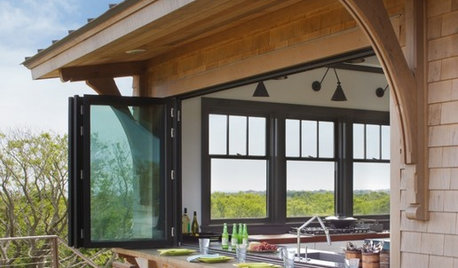
PATIOSAn Indoor-Outdoor Serving Bar Opens the Possibilities
Thinking about revamping your patio this year? Indoor-outdoor pass-throughs make entertaining outside even easier
Full Story
WINDOWSOpen a View to Your Backyard's Wildlife
Enjoy an eyeful of birds, deer, chipmunks and other creatures with natural outdoor habitats that include a hidden vantage point
Full Story
HOMES AROUND THE WORLDHouzz Tour: A Bright and Open London Loft
A converted factory space benefits from abundant windows, a modified open-plan design and eclectic art and decor
Full Story
KITCHEN OF THE WEEKKitchen of the Week: Colonial Kitchen Opens Up to Scenic Views
A lack of counters and a small sink window motivate a New York couple to update their kitchen to add space for their busy family
Full Story
HOUZZ TOURSHouzz Tour: Openness Meets Intimacy in Wisconsin
Courtyards, a terrace and thoughtfully placed windows connect a home to the outdoors in a dense Madison neighborhood
Full Story
HOUZZ TOURSHouzz Tour: A Creekside Cabin Opens to the Views
With a modern addition featuring expansive windows, a rustic 1930s cabin opens its arms wider to its Northern California woodland setting
Full StorySponsored
JamesS
nbosboom_hotmail_com
Related Discussions
I need a electric window opener
Q
HELP!!! Dangerous Window - Can I Repair or Do I Need New Window?
Q
Help: creating a new window opening & installing a bay window
Q
Best way to install new windows into existing opening with no wrap?
Q
nbosboom_hotmail_com