|
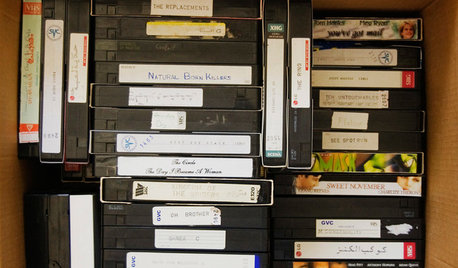
| I have been putting off purchasing a DVD Recorder for a while now for a few reasons. The expense is one. I am also afraid that after burning the 30 or so home movie VHS tapes I have, the sucker will be wore out and die. Also, the thought of copying the VHS tapes then making sure the DVDs all burned ok is a bit daunting.
Anyway, I was in Target where the occasionally have clearance items. One was a TruTech DVD Recorder for about $50. The price is right. I read some reviews, most are bad but there are some good ones. I figure if it copies all my VHS tapes and then dies I got my monies worth. If it konks out before then I can return it. My question is, should I stay away from this brand. Is the recorded quality dependent on the brand. I certainly do not want to copy 30 VHS tapes only to find out it could have come out better on a more expensive unit. Also, in general these recorders can copy in 2 / 4 / 6 hour lengths. I have read 2 hour is the best but I also have read that 4 hour quality is equivalent to VHS quality. Does that mean if I am copying a VHS tape I should choose 4 hour mode? Am I gaining anything by copying in 2 hour mode? (except double the discs!) Ok, let me have it--especially if you have made VHS copies!!!! |
Follow-Up Postings:
|
| Why do you think a good DVD recorder would die after making 30 movies? |
|
- Posted by andrelaplume2 (My Page) on Mon, Oct 2, 06 at 9:08
| not sure, am I worried about nothing? What is a good brand? I stopped by Target this morning and the dude said it was a returned item at $49 but that I should likely stay away from it. I opted out. Now I am leaning to a combo unit. Any reccomendations here are appreciated. Do these things hold up well? Do I need an extended warranty? |
|
| First things first. No matter how much you spend, what you record is not going to be any better than the original. Yeah, there might be a little tweaking you can do with contrast and the like, but you will not make a DVD copy of a VHS tape which will look much better than the tape. The keys there then become the quality of the VHS tape player and the tape itself, with the tape itself being the most limiting factor. Tape quality is affected by the original formulation of the tape, how the tapes were used and stored, etc. At this point, there is little you can do about any of that. Let's just assume that the tapes you have are good enough to view and to transfer. If you already have a VHS player which has a picture you like, I would use it. You won't gain much at all by buying a new combo unit. If you have to buy a VHS player, you could consider a combo unit (though I'd check the owner's manual just to make sure you can copy from tape to DVD without problems; I've never done this myself and I'm not sure what the tape copy protection [if any] might do when recorded onto a disk). One thing to consider is the quality of the DVD itself. There is a growing concern about the longevity of DVDs and CDs. "Bargain-basement" or "free-after-rebate" disks often won't hold a valid signal after as short as six months. This is too much work to repeat in a year or two. Make sure you buy high-quality disks from companies like Imation, TDK, Maxell, etc. That will help insure that your disk copies live longer. And get "record-once" DVDs, not rewritable ones. That will help them live longer, too. As for the unit at Target, I'd be leery of why it was returned. A decent name-brand DVD burner goes for about $100; there's little point IMHO to buying a returned one for $50 and spending more on an extended warranty. |
|
- Posted by andrelaplume2 (My Page) on Mon, Oct 2, 06 at 11:18
| Ok, so when I get this DVD burner, Do I set it to record in 2 hour mode or 4 hour; ie will my copy look better in 2 hour mode or 4 hour when copying from a VHS. Also, whats all this about DVDs loosing there data...I thought they were suppose to last forever...at least longer than VHS tapes...which is why I want to get my VHS onto DVDs! Thanks! |
|
| With a DVD/VCR combo unit you should be able to copy any "home movie" VHS tapes to DVDs without any worry about copyguard issues. If you try to copy a store bought movie, like a Disney tape, then copyguard will kick in and your dvd copy will look bad. DVD/VCR units tend to be easier to use to make copies than individual dvd recorders and vcr players. Less wires and remote controls to have to mess with. This convenience comes with at a slightly higher chance of some future repair needed. More moving parts in a given unit will increase the chance of something eventually needed repair. I don't know of any real issues in DVD longevity. I have heard the sme thing about VHS tapes but the ones I have from the late 70's (yes 1979) still look and play just fine. I have a hunch that how well you take care of then will make a bigger difference in how long the discs last. If you don't expose them to high amounts of heat and sunshine, don't scratch them up, then the life of the disc should be measured in decades, not months. |
|
| The difference between videotapes and CDs and DVDs is that videotapes are analog while CDs/DVDs are digital. Analog is much more forgiving of an imperfection in the tape or the signal -- it may look bad, but what's on the tape most likely will be visible unless the damage is extensive. CDs and DVDs store their information digitally. I'm sure many of you have had the experience of a corrupted computer file. An imperfection on a disk can make an entire file unreadable. There is error correction built into digital players, but it can only correct so much before it just refuses to go on, leaving you with pretty much nothing. I'm not saying this to scare anyone away from CD/DVD. Good media (not the cheap stuff) and proper storage and handling will extend the life of your "stuff" for quite a long time. But be aware that these are not "forever" media. |
Here is a link that might be useful: National Institute of Standards study of disk longevity
|
- Posted by andrelaplume2 (My Page) on Tue, Oct 3, 06 at 9:24
| THANKS! so...to be real safe I guess I should make 2 copies of each and put a set in a safe or something. Is Maxell a ggod brand. I saw 50 DVDR+ w/slim cases for $16...sounds reasonable but I do not junk DVDs....? Also, what is all this about making chapters? Could I do that? Is is hard? |
|
| Two copies is a good thing to do. That might be as simple as duplicating the DVD once you've created it. I don't have direct experience with recording on DVD, but I have used Maxell CDs and tapes reliably over the years. They're a good brand, IMHO. You might want to check that article I linked in an earlier post and see if the Maxell DVDs use the better dye. |
|
- Posted by poohbear2767 (My Page) on Wed, Oct 4, 06 at 23:07
| I only use Maxell CDs and DVDs. Imation and TDK are also good brands. As far as quality vs time on disk, The more you try to stuff on a disk the more it has to be compressed. If the videos are important home movies that you treasure Pooh Bear |
Here is a link that might be useful: Blank Media quality differences explained
Please Note: Only registered members are able to post messages to this forum. If you are a member, please log in. If you aren't yet a member, join now!
Return to the Electronics Forum
Instructions
- You must be a registered member and logged in to post messages on our forums.
- Posting is a two-step process. Once you have composed your message, you will be taken to the preview page. You will then have a chance to review the contents and make changes.
- After posting your message, you may need to refresh the forum page in order to see it.
- It is illegal to post copyrighted material without the owner's consent.
- HTML codes are allowed in the message field only.
- No advertising is allowed in any of the forums.
- If you would like to practice posting or uploading photos, please visit our Test forum.
- If you need assistance, please Contact Us and we will be happy to help.