




'THUMP' in sub-woofer
catchmeifyoucan
17 years ago
Sort by:Oldest
Comment (1)
Related Stories
MOST POPULAR11 Things to Expect With Your Remodel
Prepare yourself. Knowing what lies ahead during renovations can save your nerves and smooth the process
Full Story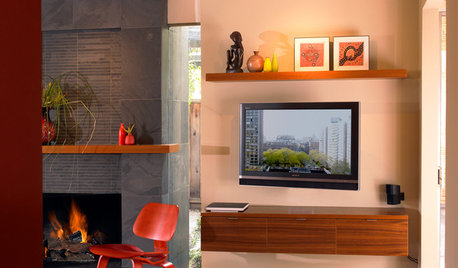
DECORATING GUIDESDecorate With Intention: Helping Your TV Blend In
Somewhere between hiding the tube in a cabinet and letting it rule the room are these 11 creative solutions
Full Story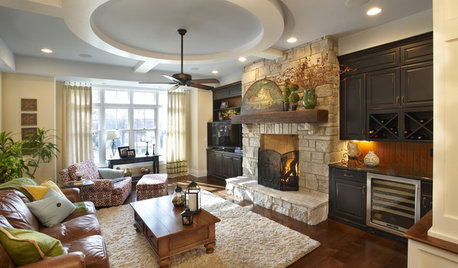
FIREPLACESThe Right Built-ins for Your Fireplace
Building the perfect storage around your fireplace starts with deciding what it's for. These 14 examples will get you started
Full Story
MORE ROOMSHome Tech: Speakers Matter (and Can Look Good, Too)
See why high style and high fidelity needn't be mutually exclusive
Full Story
HOME TECHSave Your Decor — Hide Your Media Stuff
When you tuck boxes, wires and speakers into walls and ceilings, all you'll notice is your favorite shows or music
Full Story
GREAT HOME PROJECTSHow to Get That Built-in Media Wall You Really Want
New project for a new year: Tame clutter and get a more stylish display with a media unit designed to fit your space just right
Full Story
MY HOUZZHouzz TV: A Couple’s Garage Becomes Their Chic New Home
Portland, Oregon, homeowners find freedom in a city-approved garage home with DIY industrial flair
Full StorySponsored
More Discussions


tom418
Related Professionals
Alexandria Home Automation & Home Media · Allendale Home Automation & Home Media · Coral Terrace Home Automation & Home Media · La Crescenta-Montrose Home Automation & Home Media · Park Ridge Home Automation & Home Media · Reston Home Automation & Home Media · Roselle Home Automation & Home Media · South Lake Tahoe Home Automation & Home Media · Surprise Home Automation & Home Media · Tampa Home Automation & Home Media · Thornton Home Automation & Home Media · Sierra Madre Electricians · Markham Electricians · Tukwila Lighting · Westmont Lighting