|
| argh, i am so clueless here!
the sketches are pretty good, though i am tweaking the measurements a bit for beter scale. anyway i really want to show them off but they are in an attachment with my bill and i can only email them. so frustrating! i'm ready to have them built and hope to get a colour consultation next week too. is there a kind soul who can help me out? tia,suse. |
Follow-Up Postings:
|
- Posted by AnnieDeighnaugh (My Page) on Wed, Oct 3, 12 at 10:21
| If you email to yourself, then you will have the file which you can then download to your computer and upload to a photo service to post. |
|
- Posted by fallingwaters (My Page) on Wed, Oct 3, 12 at 10:41
| oh annie i know you're trying to be helpful but i simply don't know how to do what you say to do! they are downloaded but i have no idea what to do from there. how does one 'upload to a photo service'? |
|
| Go to photobucket.com and follow the directions for setting up a new account. [You can use flicker or some others, it doesn't really matter. I said photobucket because that is what I use.] Once you set up the account, which should take just a couple of minutes, you can upload your photos to it. Their directions are really straight forward. Hopefully, your plans are in a .jpg format so that there's nothing tricky about the upload. If they aren't, tell us what they are and we can hopefully tell you what to do with them. From there, you're good. You hover over the photo you want in your post, a box comes up with several selections one of which is "HTML code." Click on that selection and it automatically copies the code you need. Come over here to your post and paste that code into your message. Voila! |
|
| Falling...go to the Home page of this forum (where the message list is) and look in the area above the message list. "What's New at Garden Web" has a link to a new way to share photos. |
|
| Another way: If your pics are on your computer, just start a new thread (or post another message on this thread). At the very beginning of the new message (in a reply it is right after the pink star that says "post a followup") is a box that says "Image File to Upload (optional): then a text box, then a Browse button. Click on Browse and it will go to the pictures in your computer (you have to find the one you want) click on the pic you want to post and do whatever your computer requires to select it and it will automatically post in your message (only one pic per message though - photo bucket you can post more than one in each message). Hit preview to make sure it's there, then click on "submit message." |
|
| email them to me at myladybug03@yahoo dot com and I will post them for you. |
|
| you have mail... |
|
|
- Posted by fallingwaters (My Page) on Wed, Oct 3, 12 at 22:55
| YAY!! thankyou so much! i have decided to tweak the measurements--each side piece will be 32" so the center piece can be 44" wide. the sketch has a mirror hung in the center, i'll have it trimmed out with molding and mirror the sides and back instead. i have a couple of small electric sconces to install on either side of the mirrored space and we'll use the top as our espresso station. my carpenter suggested building more storage up to the ceiling and using a library ladder to access it, which will be phase two i think. and they will be free standing so when/if i move they can come with if i want. |
|
|
- Posted by fallingwaters (My Page) on Thu, Oct 4, 12 at 9:16
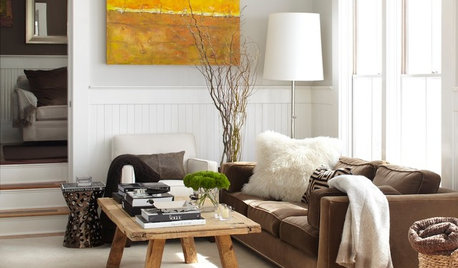
| lol, i have that inspiration pic too! mine will be a bit more elegant looking (i hope) with the chandy sconces and mirrors for the bedroom. but if i can find a place near my kitchen or mudroom i'll build this one too! |
Please Note: Only registered members are able to post messages to this forum. If you are a member, please log in. If you aren't yet a member, join now!
Return to the Home Decorating & Design Forum
Instructions
- You must be a registered member and logged in to post messages on our forums.
- Posting is a two-step process. Once you have composed your message, you will be taken to the preview page. You will then have a chance to review the contents and make changes.
- After posting your message, you may need to refresh the forum page in order to see it.
- It is illegal to post copyrighted material without the owner's consent.
- HTML codes are allowed in the message field only.
- No advertising is allowed in any of the forums.
- If you would like to practice posting or uploading photos, please visit our Test forum.
- If you need assistance, please Contact Us and we will be happy to help.