




Problem Connecting Via E-Mail Links
WalnutCreek Zone 7b/8a
11 years ago
Sort by:Oldest
Comments (6)

Related Stories

HOMES AROUND THE WORLDHouzz Tour: An Addition Connects a London Home With Its Garden
A once-unloved lean-to now links the inside and outside of a handsome Edwardian home
Full Story
ECLECTIC HOMESHouzz Tour: Problem Solving on a Sloped Lot in Austin
A tricky lot and a big oak tree make building a family’s new home a Texas-size adventure
Full Story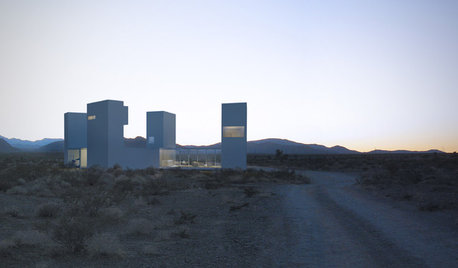
ARCHITECTUREDesign Workshop: Connecting Our Built and Unbuilt Worlds
Renderings of an unbuilt project in California show how using place to inspire architecture is worth getting right
Full Story
HOME TECHHarness the Cloud: 8 Ways to Automate Your Housekeeping
Make life easier by scheduling regular deliveries, managing appliances, simplifying meal planning and more via the web
Full Story
THE HARDWORKING HOMECES 2015: Inching Toward a Smarter Home
Companies are betting big on connected devices in 2015. Here’s a look at what’s to come
Full Story
DECORATING GUIDESIs an Online Decorator Right for You?
For a professional look at a lower price and from the convenience of home, e-decorating may be the perfect solution
Full Story
ARCHITECTURE10 Statement-Making Skylights, Big and Small
Brighten rooms with natural light while adding a dose of creativity via a skylight that draws attention
Full Story
KITCHEN DESIGNLightened-Up Midcentury Kitchen Goes With the Flow
A ranch’s kitchen, dining area and living room are combined in one beautifully unified space, while a mudroom solves a clutter problem
Full Story
BATHROOM DESIGNLight-Up Mirrors Offer Bright Design Solutions
If you're taking a dim view of a problem bathroom area, try the flash of design brilliance that is the electric mirror
Full Story
COMMUNITYTogetherness Take 2: Is a Cohousing Community for You?
Missing that sense of connection? Consider the new breed of neighborhood with a communal bent
Full Story
WalnutCreek Zone 7b/8aOriginal Author
owbist
Related Discussions
Soil Test Results e-mailed Today-Iron is problem
Q
sending a page via e-mail
Q
For those of you who receive internet/mail via satellite.
Q
Links in E-Mails Quit Working - Help
Q
WalnutCreek Zone 7b/8aOriginal Author
zep516
WalnutCreek Zone 7b/8aOriginal Author
zep516