

Locked out of Apple Tablet
WalnutCreek Zone 7b/8a
I have an iPad that I don't use very often. However, I wanted to use it; thought I remembered the numerical sequence to log in, but the one I recalled does not work. Now I am locked out for a while. Not familiar enough with Apple products to know how to go about setting up a new sequence. Can anyone give me instructions as how to overcome this issue, please.
Browse Gardening and Landscaping Stories on Houzz See all Stories

Product Picks
Guest Picks: An Apple a Day
By Vanessa Hunt
20 products to help your iPad, iPhone and other Apple gadgets feel right at home
Full Story
Kitchen Design
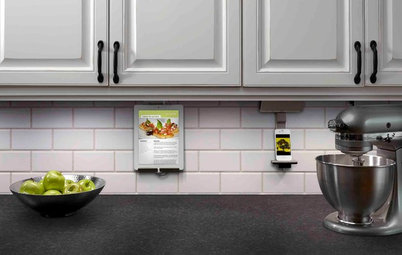
Houzz Call: What’s Cooking in Your Kitchen?
Most of us turn to recipes, videos and culinary shows when we cook. Where do you set your cookbook, tablet or TV screen?
Full Story
Home Tech
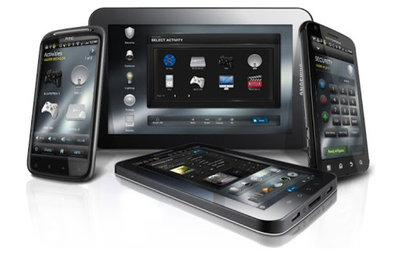
Home Automation Goes Mainstream and Mobile
By Mike Elgan
Why Apple, Microsoft and Google will lead the way to a cheaper and simpler future for the remote-controlled home
Full Story

We are a team of home design experts with over 30 years collective experience in custom cabinets and kitchen... Read More







We are a top ranked remodeling company in North Columbus and Delaware, OH. We specialize in basements, bathrooms,... Read More
Apple has very active and robust forums for its products, I'm sure an answer will be readily found there. Good luck.
Passcode Lock is in Settings> General. That's where you would set it up or change it! Not sure how to unlock so you could get to this screen?
Since I am electronically stupid, when I got my I-Pad, NO instructions what so ever came with it. I simply did not know that you had to back up everything in it on I-Tunes. My grandson locked mine, how we don't know and to have it unlocked, I will lose everything that was downloaded on it. I have pix in it that I don't want to lose, but I would have to assume that they are in eternity at the present time. So I am SOL now also.
Any chance you have an Apple Store nearby? If so, make an appointment at the Genius Bar and bring along documentation of your purchase. While you're there ask about the free training classes they offer on their products.
If not, install iTunes on your computer and connect the iPad. I think you will need the password to back up the contents to your computer. If it doesn't require a password, then let iTunes do the back up. Then reset the iPad to it's original, factory condition, and then restore it's contents (that's a three step process). Otherwise, just reset the iPad, which will erase the password and all it's contents. Apps (even paid for ones) will still be available to download again (for free) from the App Store but you'll likely loose anything like pictures.
Once you get your iPad up an running, set a password so you're Grandson can't lock you out in the future.
https://support.apple.com/en-us/HT204306
...and thus began the great iPad theft surge of 2016. Yes, no longer do passcodes matter, why have it if it can be bypassed lol.
On a serious note, my granddad got a new one recently. It kept prompting him to install the passcode. I convinced him not to set it up. Why? Exactly this reason. Worse lol, it has a thumbprint reader. It keeps asking if he wants to set up that security feature. :-| I told him... "You're 88 years old, when you kick do you think I'm gonna press your thumb to the iPad?" He laughed. No more passcode.
Thank you for your responses everyone.
rgreen48, how does one bypass not setting up a passcode?
Walnut, I forget the phrase that the newer iPad uses, but when it goes through the set-up menu... just choose the option to 'do it later'... or some words to that effect. It will take you all the way through the set-up without the passcode being set. Now, I realize I'm recommending this course of action, so I will include a disclaimer of sorts... bypassing the passcode will make your iPad usable to anyone who picks it up. As you are learning, if your iPad is stolen, the passcode can be bypassed any way. So, if you have sensitive data, and you choose to skip the passcode set-up, be sure to only leave your tablet around people you trust.
One thing that I make sure of, is that granddad never checks the boxes for secure sites to "Remember This Device".
And one more thing to help... a lot of people prefer the apps or security setting to automatically 'Locate My iPad'. If stolen, a good app will tell you right where it is at. It too can be bypassed, but this is often a good choice if followed quickly. 'Locate my Device' can also have password protection, but since it takes a bit of work to break into, most people will take too long to shut it down and if you are reasonably quick at searching, you can find it using the app.
You could also just write your passwords down, but make sure you tell a trusted person where your codes are hidden.
If you have an Apple device with both the fingerprint and pass code features enabled, keep in mind that you still have to enter the pass code each time you reboot the device. You can also go into Settings / Touch ID and Passcode, and fine-tune several things, like enabling it to erase all data after 10 failed passcode attempts. Since I'm still able to remember a 4-digit code, I like this for the added safety.
This whole thread just reminds me of the need to:
1. Make decisions when you first set up a device, rather than procrastinating.
2. Write things down, particularly your passcode.
3. Set up your device to back up because it's a simple insurance policy when you screw up later.
I reset and restored the iPad and now am told that the thing is locked because the previous owner set up find iPhone in iCloud. The previous owner has to be contacted to get them to delete the iPad Air 2 A1395 from their iCloud. Sadly, I bought this item from an eBay vendor quite some time ago; that vendor sells items it bought from storage units. I have to say I don't understand how I set it up before and even names my iPad which I can't even get into now.
I did find my purchase information from eBay, so am hoping that will be enough for the Apple store. I am concerned about how much they will charge me. Will have to call and find out.
Thanks to all of you for your advice/information.
WalnutCreek-
I wish you luck, but I am not sure that that will help you with Apple. All it will prove is that you legitimately bought it from someone else, but it says nothing about the legitimacy of the source of the iPad or that iPad's previous history of ownership. The way the security works on these devices is that you need to follow the chain back to whoever set up the current security on the device. If that person is dead or can't be located or won't help you, there is no way to make that device functional. Even if you make an excellent, logical case to Apple, they won't be able to help you if you don't have the access/setup information.
I can understand how frustrating this is to many legitimate people, like you, but it was Apple's way to respond to the huge illegal market in stolen devices. Secured iPad's are totally worthless to thieves, and this provides a huge disincentive to bother stealing them. The only ones it is worthwhile to steal are the ones that haven't been set up. I like the idea that even if my phone or tablet gets lost or stolen, it benefits no one, and my personal information is safe.
Walnut Creek, the fact that you bought this used is an essential piece of information. Your not mentioning that first off resulted in comments that were off point and not useful to you.
No harm no foul. I once knew someone who would say "I don't know what I don't know" and that can be very true with using electronic products.
This will be a new data bit you can remember for the future. If you're buying or otherwise getting something used (not new) that has been set up or registered to someone else, you may need their help to change over the registration or settings from them to you.
WalnutCreek,
I bought a Kindle Fire once that way. I didn't know that Amazon had protection like that on their devices. I found out the hard way! I went Round and Round with the Seller, asking him to go to Amazon and Removing his device from his account. He kept telling me to do this, that and the other thing, all of which I had already tried to no avail. When he wouldn't cancel this account is when I figured it was stolen. I did call the Police and they came out and ran the Serial Number, it didn't come up as stolen. The officer said he couldn't even make a report unless it was reported stolen! I did give them all the information of the Seller that I had such as; Make and Model of Car, License Plate and Cell Phone Number (I had also printed all of my Texts between us). The officer wouldn't even take the tablet, said he couldn't do anything with it. He did call the Guy and told him who he was and threatened him (knowing darn well there was nothing he could do unless it was reported stolen). Never did here from the guy again!
I did find a solution to fix the tablet so I could use it but I can't say it was Kosher! I could let you know what I did but I wouldn't really feel right about it. Yes, I did go out and buy another (from Best Buy) as it was a present for my wife.
Well, turns out I was totally wrong. I know that now because I was rummaging around in my bedside table and found the little folder that came with the iPad and I had put a Post It Note in there with all of my information to log on. Input the data I had written and I am in business again. I just didn't recall this. I got the iPad just a couple of weeks before I ended up in the hospital for approximately 12 weeks and much of what occurred before, during, and for a time after is still a bit of a blur.
Again, thanks to all of you all for your efforts to help me. I truly appreciate it.
Yikes. Please recover your health and stay out of the hospital!
Sure glad you wrote it all down! I agree with Snidely, keep your health up and stay our of the hospital!