

Changing Background Colours using Chrome
Jasdip
Chrome has an extension called "Changing Colours"
I made my background a blue/grey with black font.
I also have the unread posts as dark blue and read posts as red. This may change. But now my eyes aren't hurting because of the stark white pages.chrome-extension://jbmkekhehjedonbhoikhhkmlapalklgn/options.html
Browse Gardening and Landscaping Stories on Houzz See all Stories
Color
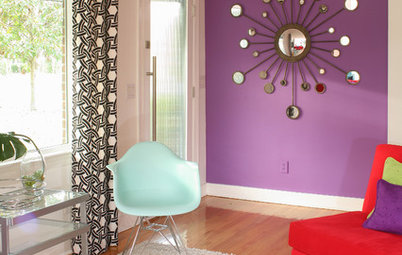
Best Ways to Use Radiant Orchid, Pantone's Color of 2014
By Jennifer Ott
Learn how to work in this bold fuchsia-pink-purple successfully around the home, and give it a yay or nay in the Houzz poll
Full Story
Color
Bathed in Color: When to Use Pink in the Bath
By Jennifer Ott
Even a sophisticated master bath deserves a rosy outlook. Here's how to do pink with a grown-up edge
Full Story
Color
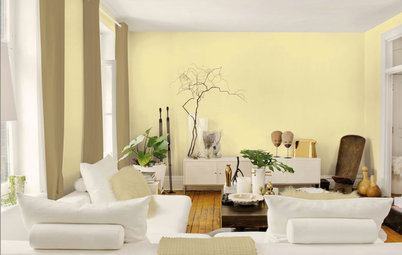
Best Ways to Use the Soft Yellow Color of 2014
By Jennifer Ott
You may fall for PPG Pittsburgh Paints’ Turning Oakleaf if you like your hues warm, mellow and cheery
Full Story

Inspiration for some backyard chats

Inspiration for a warm welcome

Inspiration for dinner time under the stars

Inspiration for a little quality time

Inspiration for making that best pizza ever







We are a family owned business with four generations of experience in whole house remodeling. For over 25 years,... Read More
I had a long reply typed out, then went to a different tab to get a link address, come back here and the reply box is blank. I hope that is not the norm because that would be terrible.
I use no squint on my pc with Firefox there's several other good add ons available. Try Google for change background color in blank browser using the browser name you use. Anothero good one for Firefox is color that site it may be better than no squint. Look around there's options.
Not somuch for the tablet browsers though unfortunately.
Color that site
Also can try this
In Firefox, go to Tools > Options > Content and click on Colours button.
Select grey for the "Background", and clear the checkboxes near "Allow pages to choose their own colours, instead of my selections above" and "Use system colours".
For Chrome look at Backgroundskin in the add ons. Or Google it.
Opera has Theme-Up Webpages extension. So I'm covered using both Chrome and Opera
If only I had options for my tablet grrrrr.
"I had a long reply typed out, then went to a different tab to get a link address, come back here and the reply box is blank. I hope that is not the norm because that would be terrible."
Raven, I've done the same thing in posting the daily Trivia Question.
It's happened a few times now. I don't understand why. It is a completely different tab unrelated to the GW tab. Not like I used the same tab I could understand that even though on the old GW I used to be able to do that which surprised me.
I couldn't find that one...but installed stylebot (another chrome extension) that can override any style element on the pages...so I have custom colors too.
Losing what you've started in the reply box IS the norm, unless they can fix it. Extremely annoying when trying to do research for someone in the garden forums. Grrrrrrr.
I don't like tabbed browsing so open pages in separate windows. I haven't lost any replies yet.
I used stylebot too. Took me a few minutes to figure out how to use it but now that I have, I love my new colors. So much better.
Ok, I tried ravencajun's suggestion for Firefox (thanks, Raven!), but it changed the background color for all websites, and I'd like it to change just this one. Is that possible? If not, I may have to wear sunglasses to read this forum! LOL
Yes use color that site I posted the link above.. Which suggestion did you use?
Usually discussion forums give your some color combo choices. At least most up to date and with it boards do!
With the Chrome extension, just this site has the colours changed.
The Opera extension changes all of the websites. :-(
does using this effect all websites of just the ones we choose?
You can choose the websites you want changed Joann.
I only have Garden Web changed to the teal blue background