

New Format Tips and Tricks
Chi
I've noticed some people are having issues, so I thought this would be a good thread to discuss solutions to some common issues as we explore and figure things out. There are also some cool new features as well.
Email notifications - default sends you emails for everything. Go to "Your Houzz" then "edit profile" and then "advanced settings" and from there you can control your notifications.
User Name: You can change your user name in your profile.
Post Format: There are different options for displaying forum posts. You can change how they are sorted and how they are displayed. You can pick between thread titles, latest post and full posts which I find very helpful.

Any others?
Browse Gardening and Landscaping Stories on Houzz See all Stories
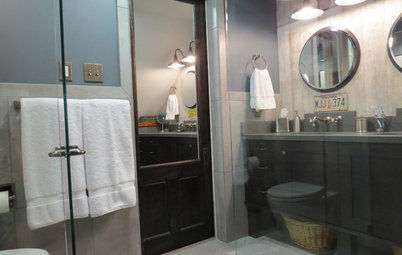
Bathroom Design
See the Clever Tricks That Opened Up This Master Bathroom
A recessed toilet paper holder and cabinets, diagonal large-format tiles, frameless glass and more helped maximize every inch of the space
Full Story
Cleaning
Eco-Friendly Tips and Tricks for Cleaning Your Home
Are you wary of using chemicals to clean? These simple products and tricks will keep your home spotless naturally
Full Story
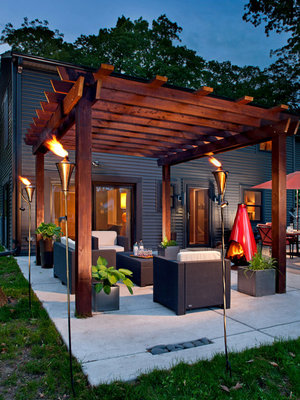
Inspiration for some backyard chats
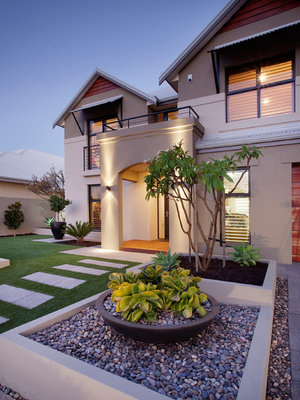
Inspiration for a warm welcome

Inspiration for dinner time under the stars
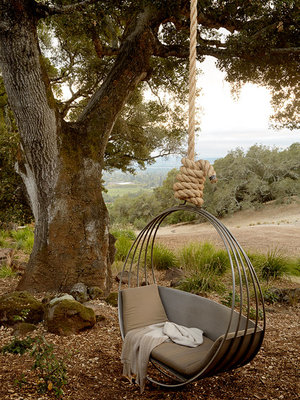
Inspiration for a little quality time
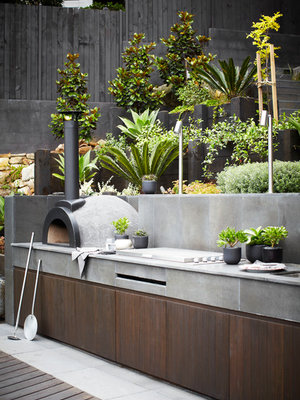
Inspiration for making that best pizza ever





Peabody Landscape Group was founded in 1979 by Douglas & David Peabody. Our commitment is to carefully listen and... Read More
Also adding a navigation tip. To get to the GardenWeb forums, select Advice in the upper right hand corner of the page (near "Your Houzz"). Then select GardenWeb Forums, Home Forums and scroll till you reach Kitchen Table. Bookmark it for quicker access.
Repeat with other forums, selecting Garden, Home or More. If you select All Discussions, you'll see the most recent discussions from all GW forums.
While you are in a forum, you'll see "breadcrumbs" across the top of the page. You can quickly navigate back to each level within the series of breadcrumbs by selecting the desired link. For example, right now you should see GardenWeb / Home Forums / The Kitchen Table in green at the top of the screen. Clicking Home Forums will bring up the list of forums previously classified as "Home Forums" on GardenWeb.
At the your houzz area if you click on activity you can view all the posts and replies you have made which is nice.
Thanks for sharing! Great to see people helping each other out.
To add on - you can change your display name through your profile settings. You will want to look for the First/Last name fields that are publicly displayed.
Hope this helps!
for the Kitchen Table this is the link to save and bookmark kitchen table
From there at the top left side there will always be the Garden Web forums listed and the Houzz discussions. The Garden web ones are split like they always have been as Home forums and Garden forums, from there you can see all of the regularly listed Garden web forums.
You can also find all of those garden web forums listed as mentioned under the Advice button at the top right then on the right side there.
Clippings are now called bookmarks and are also found under the Your Houzz area just click on that.
Ok, I'll bite.
How do you email someone via the site? I see a way to email the OP of each thread, but no way to reach anyone else.
Help me please.
Sue
Hi Sue - You can message any of your followers by going to their profile and following the Contact Me button.
Ok Doug,
Are you saying that I can only message members that are 'my' followers?
I'm confused
That is correct. To make sure you're not receiving messages from just anyone in the community, the messaging function is limited to those users who follow you, and vice-versa.
Oh dear. That is going to add a new wrinkle to the many GW exchanges.
Thank you.
Sue
I just an email saying someone from here was following me. How can I unfollow them. I don't want them to follow me.
Under advanced settings, you can uncheck the following option. Though it sounds like if you do that, no one can follow you so then no one is able to email you.
I did a Google search and found this on Houzz.
"You can block everyone from following you, but I don't believe you can select individuals.
"
That was me, Glenda, and that happened because I received an email saying YOU wanted to follow ME. I think you probably clicked somewhere you didn't mean to, to get the unintended result. When that setting is on, one receives a message when the other person being followed posts a comment.
It's easily changed and I just did so. I'm not offended. Unless you want me to be, in which case, I'm still not offended.
I'm sorry, but I don't see the "Post Format" option within my profile. Is that only for professional users?
Ah, sorry Fun2BHere, there's no actual "post format". I was just pointing out there are some display options to play around with. I posted a screenshot of what I was talking about in my original post so you can see what to look for. The options are on the main forum page with all the topics, towards the top.
I like it because I can see the post contents without having to click it open which is useful for vague subject lines. Sometimes with vague subject lines, I forget what the post is and open it multiple times when I wasn't really interested in the topic!
Arrgg how do you insert a pic where the drab gray head is. And a landscape type pic where the bricks are? I tried...but nothing uploads. Grrrrr. Can't they just link what we use on fb? Do these 2 pics need to be a certain size? If so....what?
Is there no "post a follow-up" button??? It's a long scroll to get to the bottom of the threads otherwise. I did click the End button to get me to the bottom of the page.
My username might now show up. Houzz doesn't recognize my GW username and p/wrd.
Jasdip
Where is "Your Houzz" located?
Jasdip? You're still just a number.
Aunt Audrey - I dragged and dropped a pic from my computer but could not find the submit button.
Moonie, the Your Houzz button is the very far right. I had to expand my page to see it.
It takes up far too much of my screen to keep the whole thing opened.
Thank you Jasdip, and your username is back. lol
Hey Moonie, I'm back! LOL
I don't see a "post a follow-up" button. Isn't there one?
I also see that the camera is missing on the title of posts with pictures.
I think if there are any photos it shows up in the box next to the thread title. I don't know if that applies to photos inside the thread, though.
A couple of people have mentioned they're not sure how to add a picture next to their name (replacing the gray head).
In the top right corner, it says "Your Houzz". Clicking on that will bring you to your personal user page and that's where you can add a picture.
To add a picture, hover your cursor over the big gray head and a camera icon will appear. Click on the camera and a box will pop up. On the left, you'll see the gray head and on the right, it says "Click or drag & drop files her to upload".
At this point, there are two ways to add a picture, but this is how I did it (I have a PC, so a Mac might be different). I clicked on the box, which brought up another popup that let me search my computer for a picture. I found the picture I wanted, clicked on the picture, and clicked where it said "open". If you've ever added an attachment to an email, it's the same process. This will upload the picture to the site.
When the picture is uploaded to the site, it will show up instead of the gray head. If you are happy with the picture, click the green "save" button.
Jasdip, the indicator that a thread has pictures is still there. If you look to the right of a thread title, there will something that looks like a Polaroid with a paperclip.
I like the All Discussions page where you can see recent topics posted across all boards. I also like that you can select how you view the posts. I'm viewing in recent activity order and I've selected the middle icon so I can see the first response under each topic heading. Now to test posting photos in the body of the thread:
Cool. But you can't delete an uploaded photo once you've inserted it.
Jasdip, you wanted to know how to get to the bottom of a thread quickly. Just hold down the space bar and you will quickly get to the bottom.
Tally, I love your kitty cat!! I found that when I added a second picture, it went to the top instead of the bottom of my post. Did that happen to you?
Zone 6a I am on a phone...do I try and follow the same proceedure?
Looks like you got it, Amazing Aunt Audrey! (I'm the one who posted the instructions above; am just playing around to see how to fit my zone into things.)
Nope - the second picture posted below the first. That photo was Boots - a very special cat.
I can't seem to embed an image into a post (via direct image link) unless it comes from the houzz site. I can't seem to copy/paste into a post unless I'm copying text from the houzz site -- and then it doesn't paste correctly (junk "white space" is added to what I paste and then my page refreshes to a different place). I also cannot find a way to edit a previous comment I've made.
Am I missing something or is this Houzz site as useless to me as it appears to be?.... it's like a Facebook version of decorator's scrapbooks. :(
Murraysmom, I know about the space bar, and I click End to get to the bottom of the page. Post a Follow-up took me immediately where I wanted to go, so much quicker. My "end" button is going to get worn out.
I do not like: There is no date behind the title on the main page.
The previous read threads are not grayed, so no way of knowing if you read them all or not, or if they have new comments.
I agree, Jasdip, about the threads not being grayed. The only way I can tell is if there is activity marked 1 hour ago, or 5 minutes ago. I wish they could gray the titles when you've been there and no further action has happened.
Party, photos are either "add an url" or click and drag. Can't you put an image on your desktop and then just click and drag it? When you click and drag, you need to wait for about 15 seconds before it shows up. But it will be there.
You can post a picture by saving it to your desktop. Then inside the post you are making there is a photo button. Click the camera and it will ask you to browse your computer and find the file you want to open. Open the file and it uploads to your post. It's like Facebook. You don't need to add HTML coding anymore.
Chi, thanks for starting this thread. And thanks to everyone who is adding their knowledge. I'm having fun with this new format.
Has anyone tried uploading a video?
Jasdip and Murraysmom, there's a bit of a fix you can do for the thread issue. If you sort by the middle display option (there's no name for it that I can tell, so sorry for the vague description) it shows the thread and the last person who posted in it, what they posted and how long ago it was posted. That helps a bit knowing if you've read it or not. My picture in my very first post shows you where to look for it. It's located on the main KT page with all the thread titles on it.
Hopefully they will add something to tell us when it's been read but this is working for me in the meantime.
Here's an illustration of what I meant. It also shows post pictures and makes the page so much nicer.
Thanks, Chi83, that does help. Good tip!!
I did what chi83 suggested and it really helps with cutting the whiteness of the background. You can also tell if your comment is still the last one on the thread.
To get to the bottom of a page quickly you can also click on to the word comment that is right under the OP's comment. It says email, comment, bookmark... Just click on comment and it brings you down.
Oh good point blfenton!